5 Litify Workflow Problems Law Firms Keep Running Into – And How to Fix Them

%20(8).png)
Get Expert Salesforce, Traction Rec and Litify Support
Litify is a powerful platform. But after working with law firms of different sizes and practice areas, we've noticed something: the problems they bring to us tend to rhyme. Different firms, different contexts – same five issues showing up again and again. If you're running a high-volume personal injury or plaintiff-side firm, chances are at least one of these will sound familiar. Here's what we keep seeing, and what we do about it.
1. The call center has no structure inside Litify
For high-volume personal injury firms, the call center is where everything starts. But having a busy call center and a well-configured Litify setup are two different things. We've seen firms where call center operations are running largely outside of Litify – calls logged manually, no clear process for follow-up, and no visibility into what's happening between the first call and the converted intake.
When we worked with one of our clients to bring their call center operations into Litify properly, the focus was on structure – making sure every call was captured, every follow-up was assigned, and the whole process was visible to the people who needed to see it. The result was a call center that didn't just handle volume, but actually fed the intake pipeline the way it was supposed to.
2. The calendar is a mess
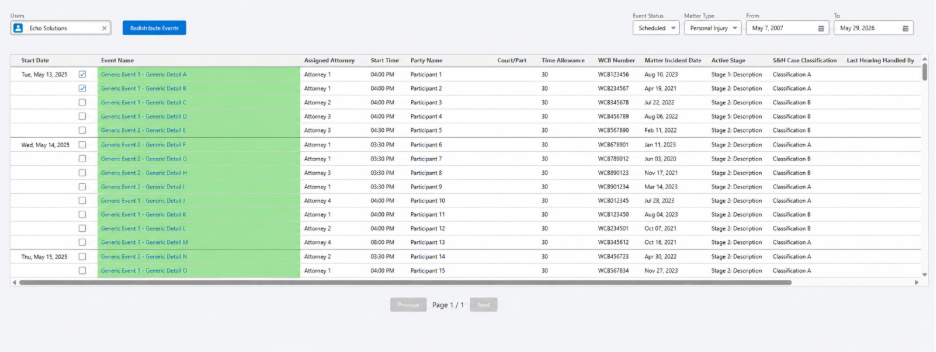
Calendar management is one of those things that works fine when a firm is small and falls apart as it grows. We've seen this problem come up repeatedly – events assigned to the wrong person, no easy way to reassign when someone is unavailable, and staff spending more time managing the calendar than actually using it.
We've solved this for multiple clients, and the pattern is usually the same: Litify's out-of-the-box calendar setup hasn't been configured to match how the firm actually operates. Once we align the setup with real workflows – including building out proper reassignment functionality – the calendar goes from a daily frustration to something people don't have to think about.
3. Documents and audit trails live outside Salesforce
If your staff have to log into a separate system just to retrieve a document or download an audit trail, that's a workflow problem. It adds steps, creates confusion, and means your Litify setup isn't really doing its job.
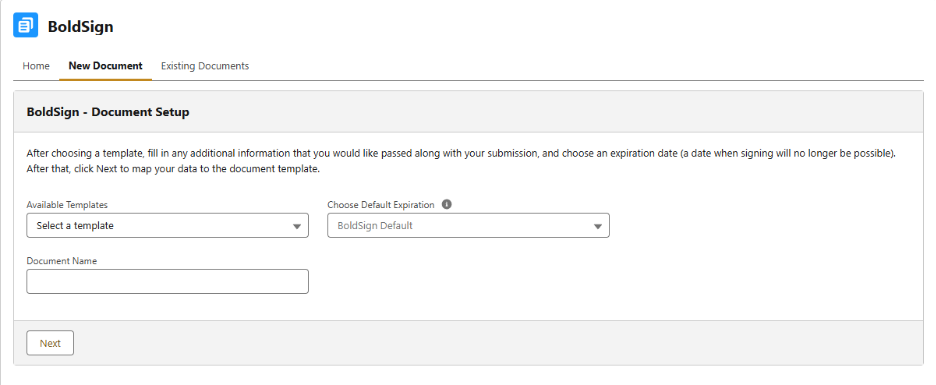
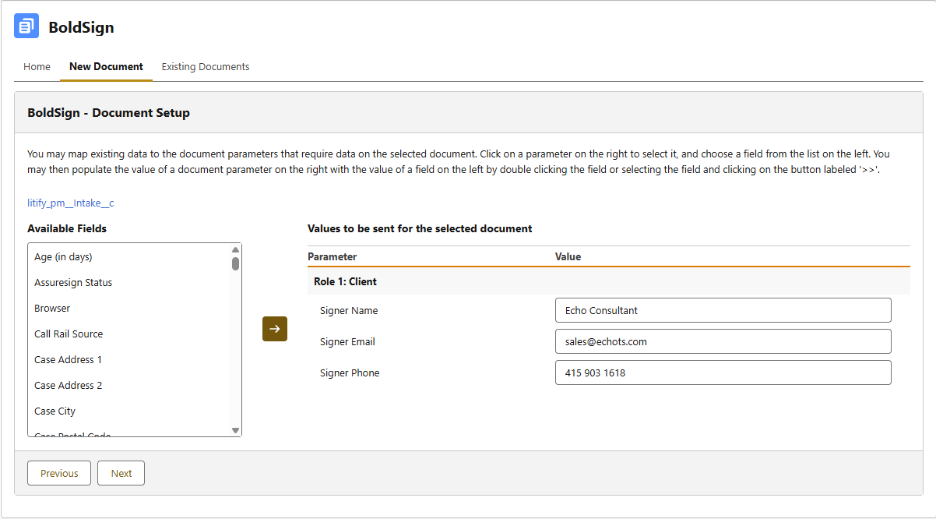
We recently rebuilt a document signing integration for a client where the audit trail simply wasn't accessible from within Salesforce – meaning staff had to leave the platform every time they needed it. We replaced the integration with a custom component that brought everything – document creation, status tracking, and audit trail download – into a single place inside Litify. Staff didn't need retraining. The switch was seamless, and a multi-step process became a single click.
4. Task assignment is manual and inconsistent
In a busy law firm, tasks pile up fast. When there's no clear system for assigning, tracking, and escalating work, things get missed. We've seen firms where task assignment happens outside of Litify entirely – which means there's no single place to track progress, no accountability, and no way to spot bottlenecks before they become problems.
For one client, we built a custom Lightning Web Component that gave managers a clear, structured way to assign tasks directly within Litify. The result was less back-and-forth, better accountability, and a much clearer picture of who is working on what at any given time.
5. Community outreach has no system behind it
This one tends to come up with firms that do a lot of community engagement – events, visits, follow-ups. The outreach happens, but it's not tracked anywhere meaningfully, so there's no way to measure it, follow up consistently, or connect it back to the intake pipeline.
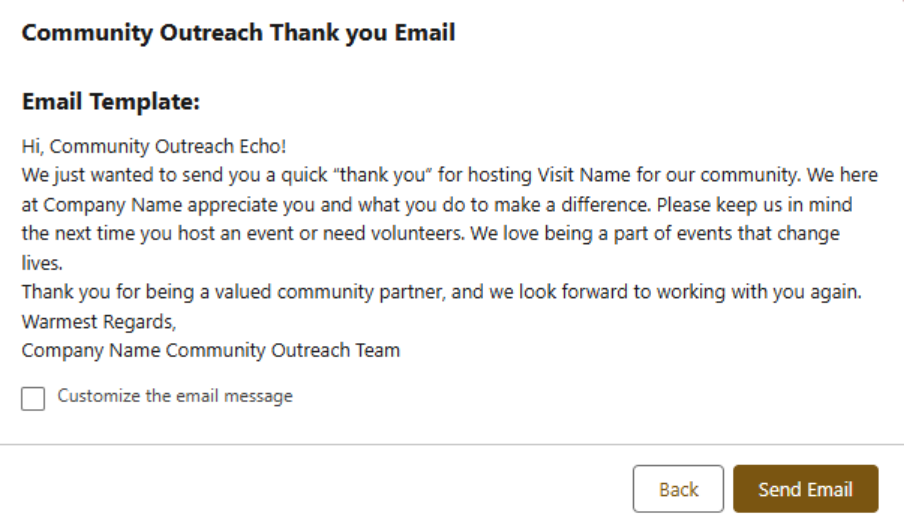
We built a tracking system for one client that logged community visits and automated follow-up emails directly from Litify. What was previously an informal, ad-hoc process became something structured and measurable – with every touchpoint recorded and every follow-up sent on time.
If any of this sounds familiar, you're not alone – and it’s all fixable. The good news is that most of these problems don't require a full rebuild. They require someone who knows where to look and how to align your Litify setup with the way your firm actually works.
If you're not sure whether your Litify setup is working as hard as it should, a fresh pair of eyes can go a long way. Book a call and let's take a look at what's holding your firm back.
Continue Reading


%20(12).png)
Transform What’s Possible With
Salesforce
Traction Rec
Litify
Salesforce
Unlock the full potential of your platforms and make the impossible a reality with ECHO Technology Solutions.


